

Provider Console
Use the Provider Console to manage an approved provider workspace in OpenModels: review status, connect a models list API, publish routes, update pricing, submit snapshots, monitor usage, review payouts, and maintain provider settings.
Open the Provider Console:
Console checklist
Use the left navigation to move through the provider workflow.
- Review workspace status in Overview.
- Configure and test the Models API endpoint.
- Publish and maintain model routes in Routes.
- Monitor requests and revenue in Usage.
- Review balances and payout history in Payouts.
- Keep provider profile and API connection details current in Settings.
Overview
Open Overview to check the selected provider application, status, live route count, request volume, token volume, estimated earnings, and setup guide.
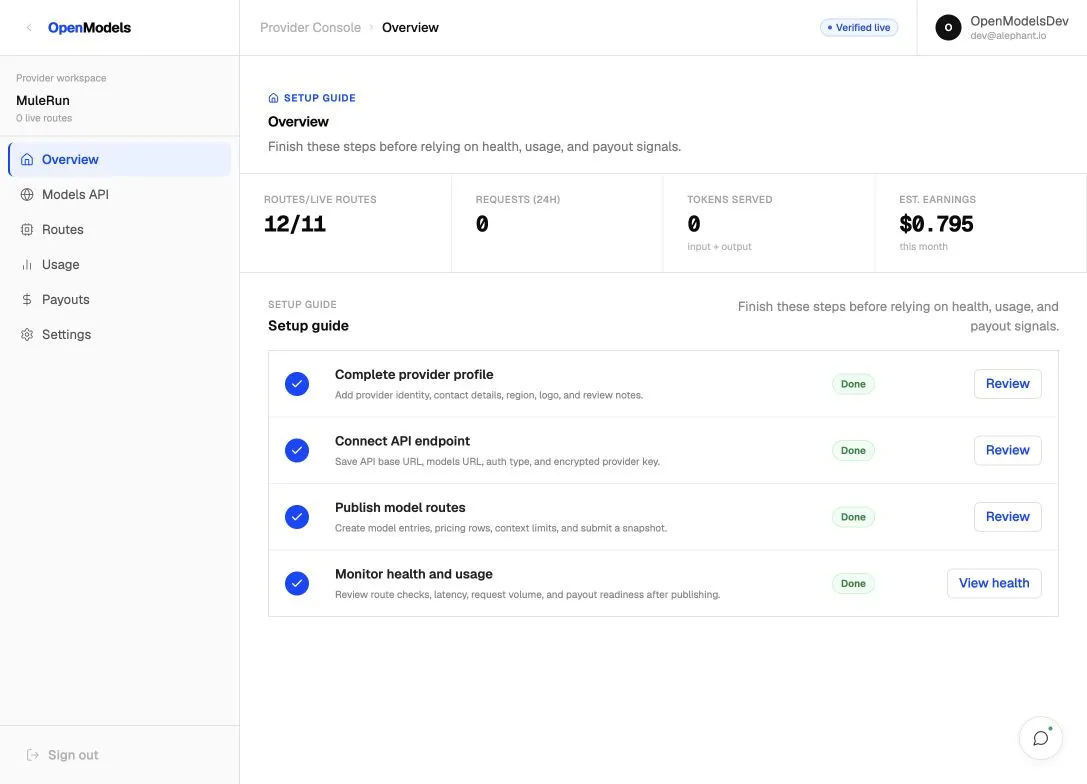
Key areas:
Use Review, Open routes, or View health from the setup guide when a step needs attention.
Models API
Open Models API to connect the endpoint that returns your provider model list. This page is the source for syncing model metadata and pricing into OpenModels.
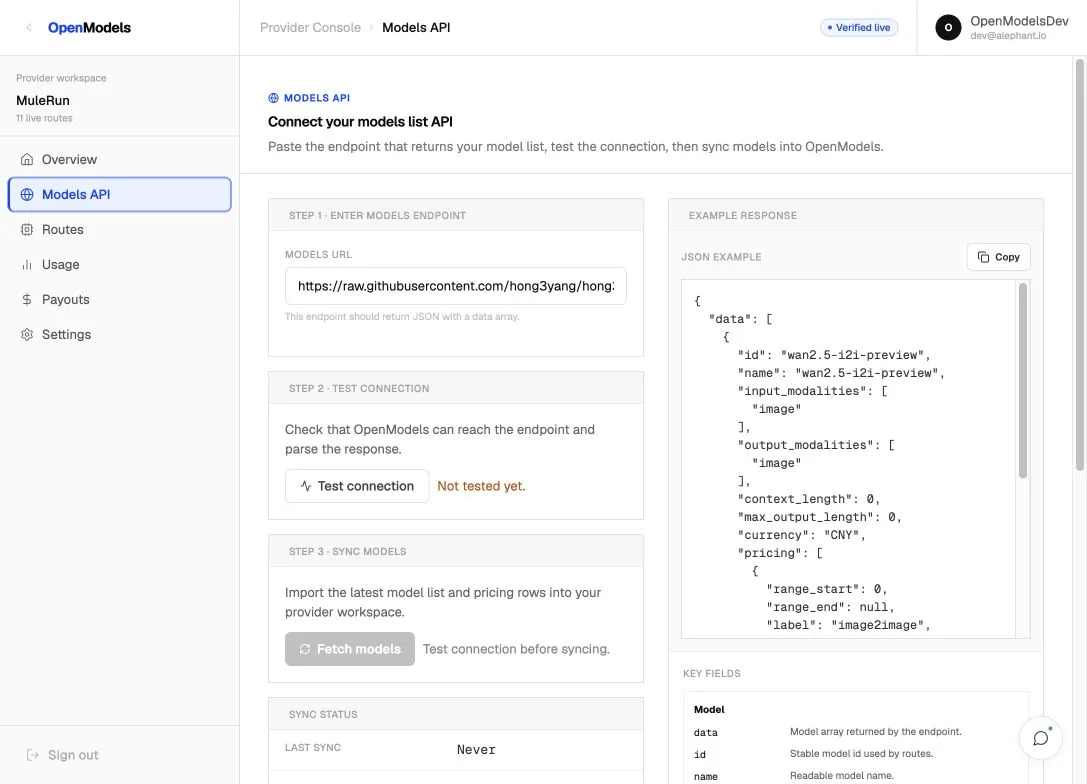
Workflow:
- Enter the Models URL.
- Click Test connection to confirm OpenModels can reach and parse the endpoint.
- Click Fetch models after the connection is verified.
- Check Sync status, Last sync, and Models found.
The endpoint should return JSON with a data array.
Important fields:
Routes
Open Routes to review published model routes, route status, pricing, context, supply type, and snapshot state.
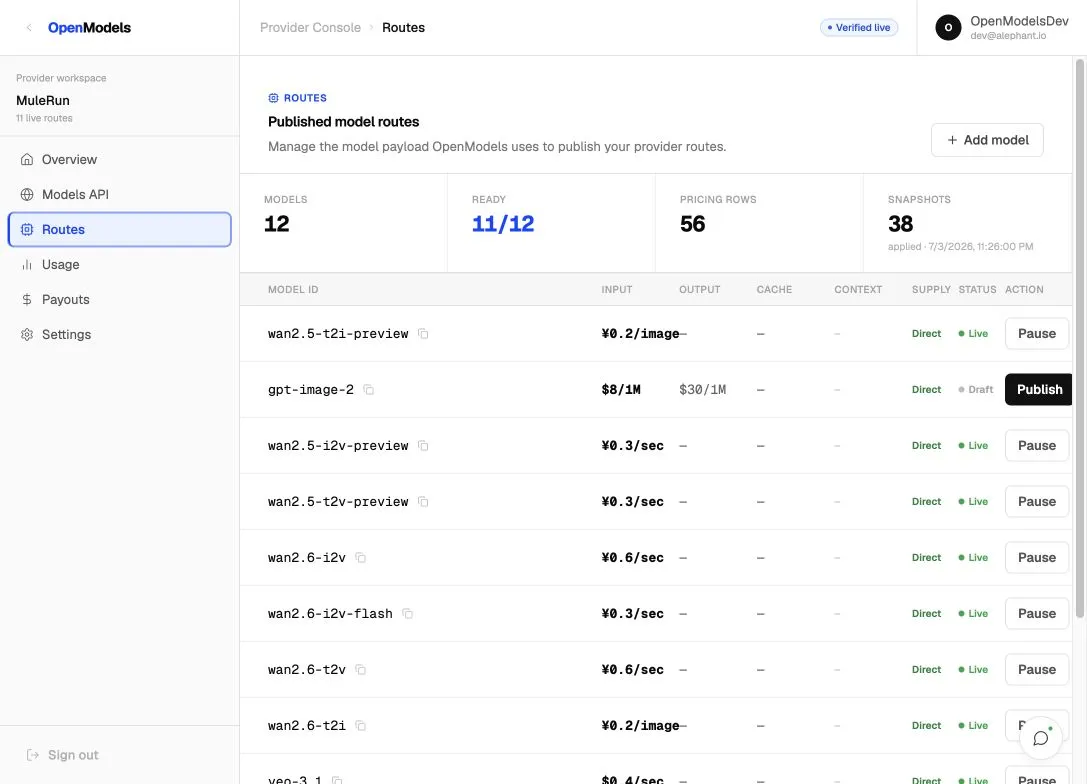
The routes table shows:
Use Add model to create a new route manually. Select an existing model row to open the route editor.
Route editor
The route editor is a step-by-step drawer used to edit model metadata and submit a new snapshot.
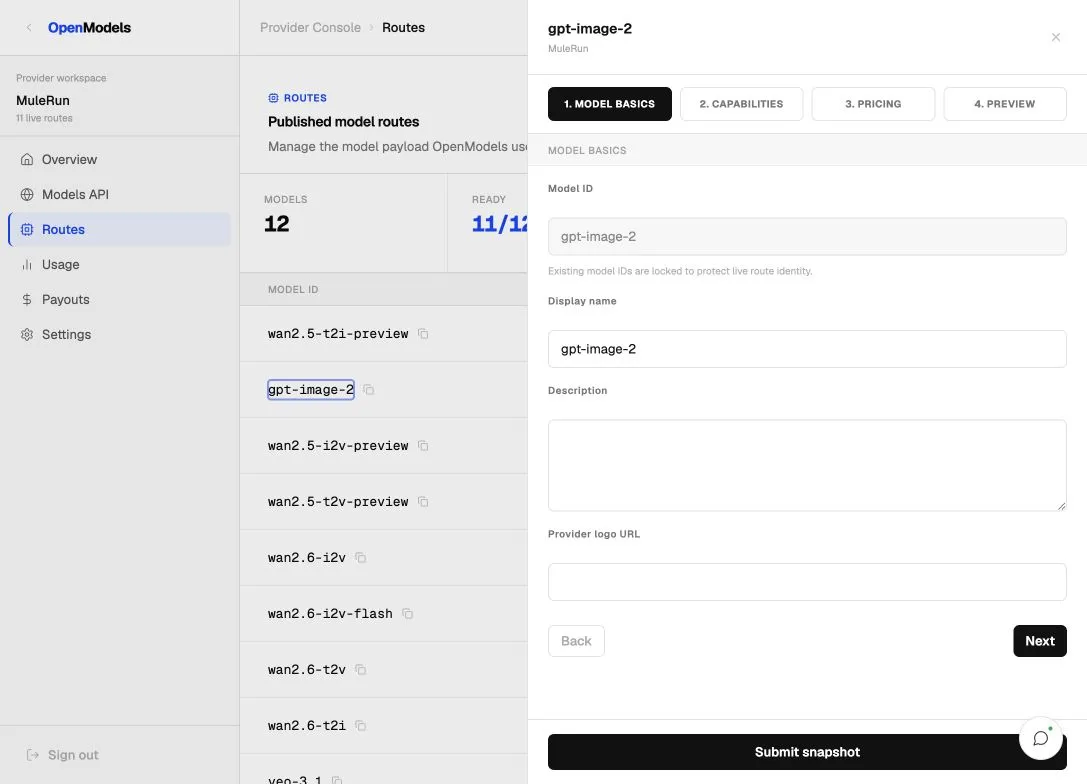
Editor steps:
Click Submit snapshot after the route payload is ready. A valid snapshot updates the model and pricing data used by the Provider Console and marketplace routes.
Pricing
Use the Pricing step in the route editor to configure price rows.
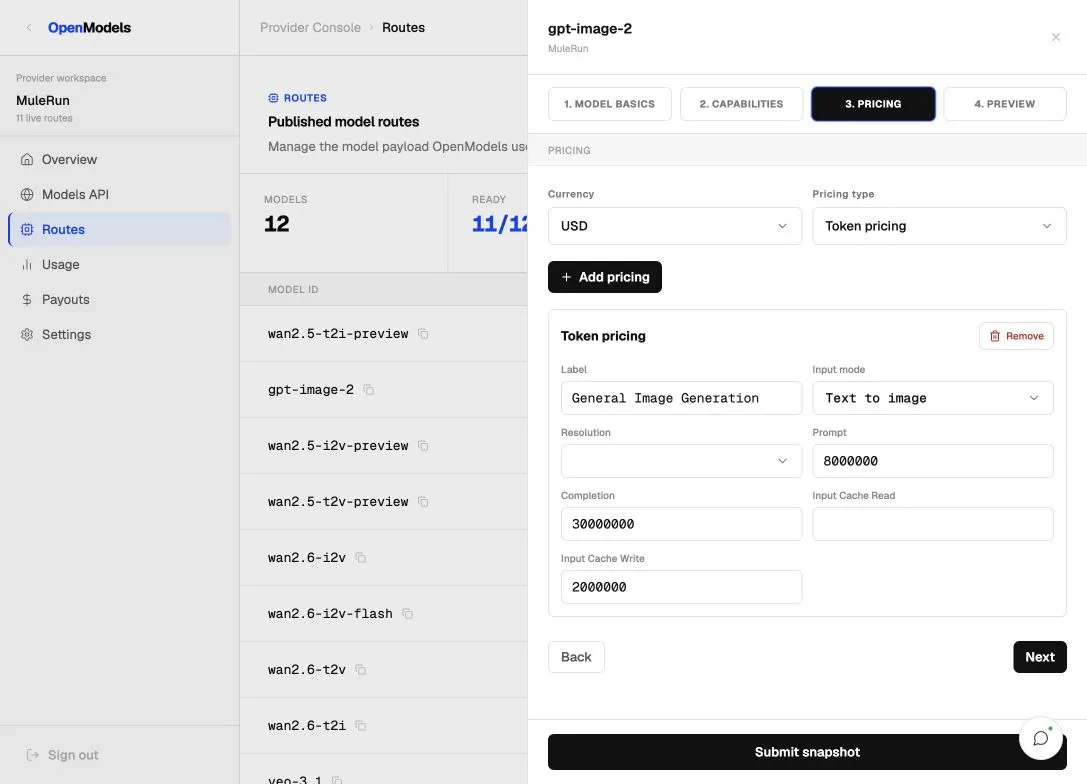
Supported pricing types:
Review the rendered route table after submitting a snapshot so the displayed prices match the intended billing unit.
Publish or pause routes
Use the action button in Routes to change route availability.
Keep a route live only when the upstream provider can serve traffic reliably. Pause a route before planned downtime, pricing corrections, capacity issues, or upstream degradation.
Usage
Open Usage to review request and revenue summaries for the selected provider application.
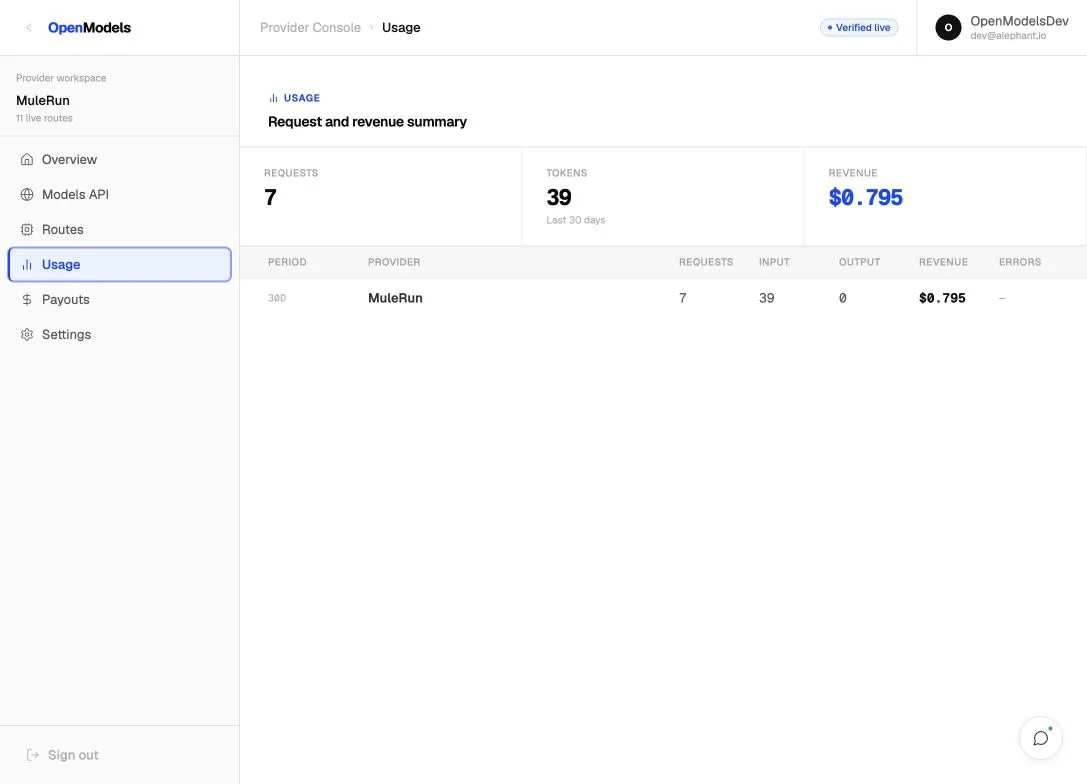
Usage data includes:
Use this page to confirm whether OpenModels is routing traffic to the expected provider application and whether revenue is being recorded.
Payouts
Open Payouts to review confirmed provider balance, payout method, current-month estimates, and payout history.
Key areas:
Confirmed monthly bills and settlements update the available balance. Live estimates do not directly change the confirmed payout balance.
Settings
Open Settings to maintain the provider profile and API connection details tied to the signed-in account.
Settings include:
Use Save changes after editing profile details. If a provider API key is already active, leave the key field blank unless you intentionally want to rotate it.
Provider Console FAQ
What should I configure first?
Start with Settings if the provider profile or API connection is incomplete. Then use Models API to test and sync the model list, and Routes to review and publish routes.
When should I use Models API instead of Add model?
Use Models API when your provider can generate a structured model list automatically. Use Add model when you need to create or edit a small number of routes manually.
What does Submit snapshot do?
It saves the current model route payload, including metadata, capabilities, pricing, and readiness. The latest valid snapshot becomes the source for route publishing.
What is the difference between Draft and Live?
Draft routes are saved but not serving traffic. Live routes are available for OpenModels routing, assuming the provider application is active.
When should I pause a route?
Pause a route when upstream capacity, pricing, latency, or availability is not production-ready. Publish it again after the route is stable.
Where do I check provider revenue?
Use Usage for request and revenue summaries. Use Payouts for confirmed balance, payout method, estimates, and payout history.