

Partner Program
Use the Partner workspace to create your own OpenModels-powered marketplace, select model routes, set markup, publish a public storefront, and track usage attributed to your Partner ID.
Contact us on Discord to get started: https://discord.com/invite/tRQghcXhaH
Setup checklist
The Partner overview shows the setup steps and the current workspace summary.
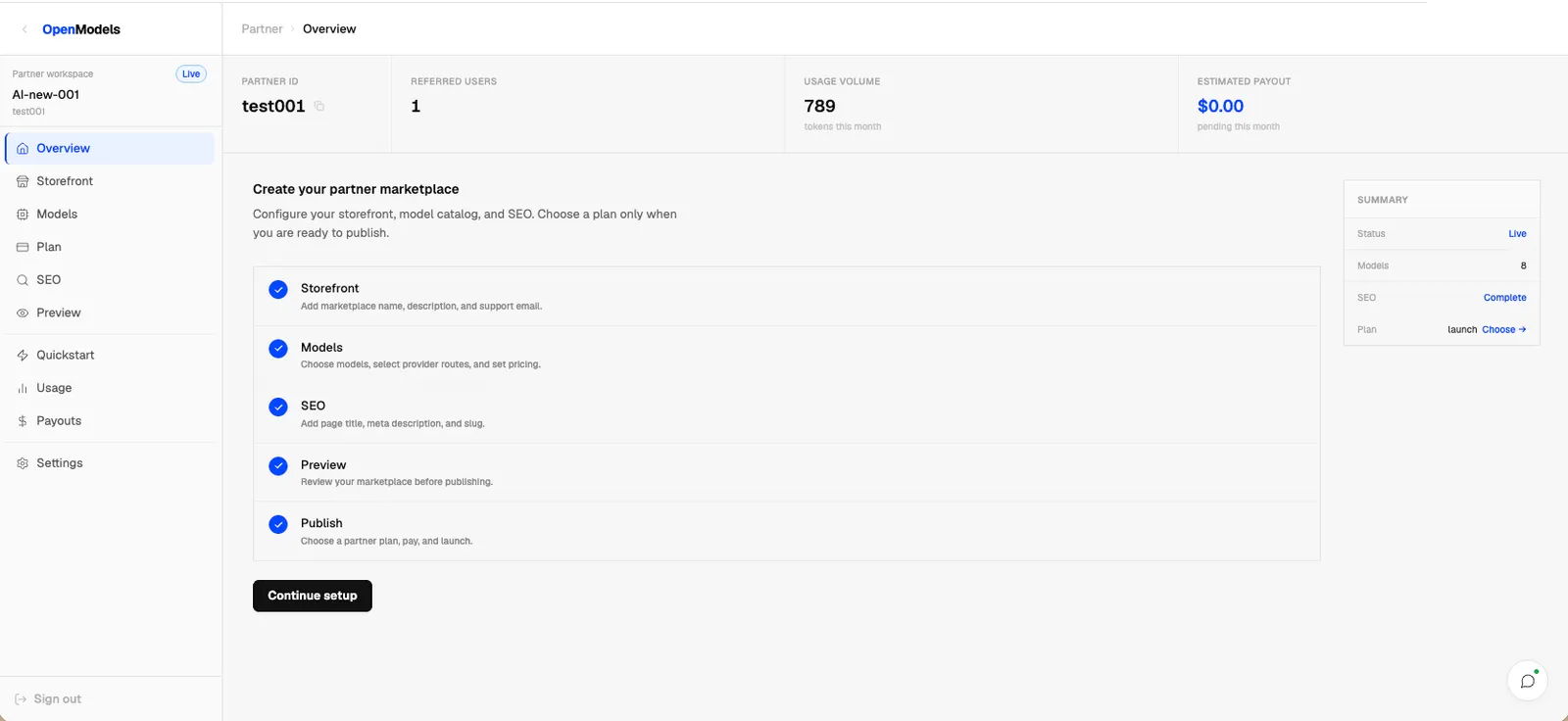
Complete these steps before publishing:
- Configure the storefront.
- Add models and select provider routes.
- Choose a partner plan.
- Configure SEO.
- Preview the public marketplace.
- Publish when the marketplace is ready.
Configure the storefront
Open Storefront and set the fields that appear on the public marketplace page.
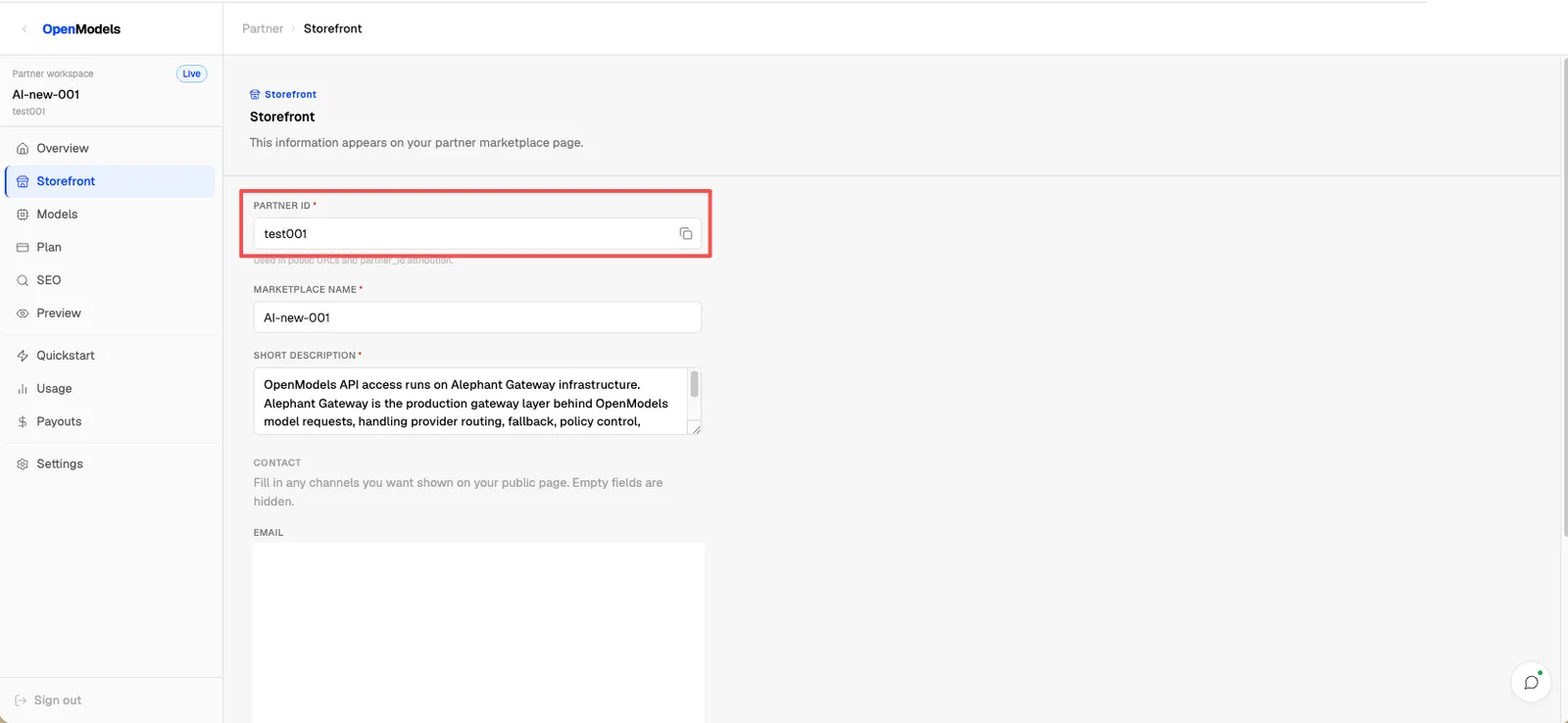
Key fields:
Add models
Open Models, click Add model, choose the model route, and set the markup for your marketplace price.
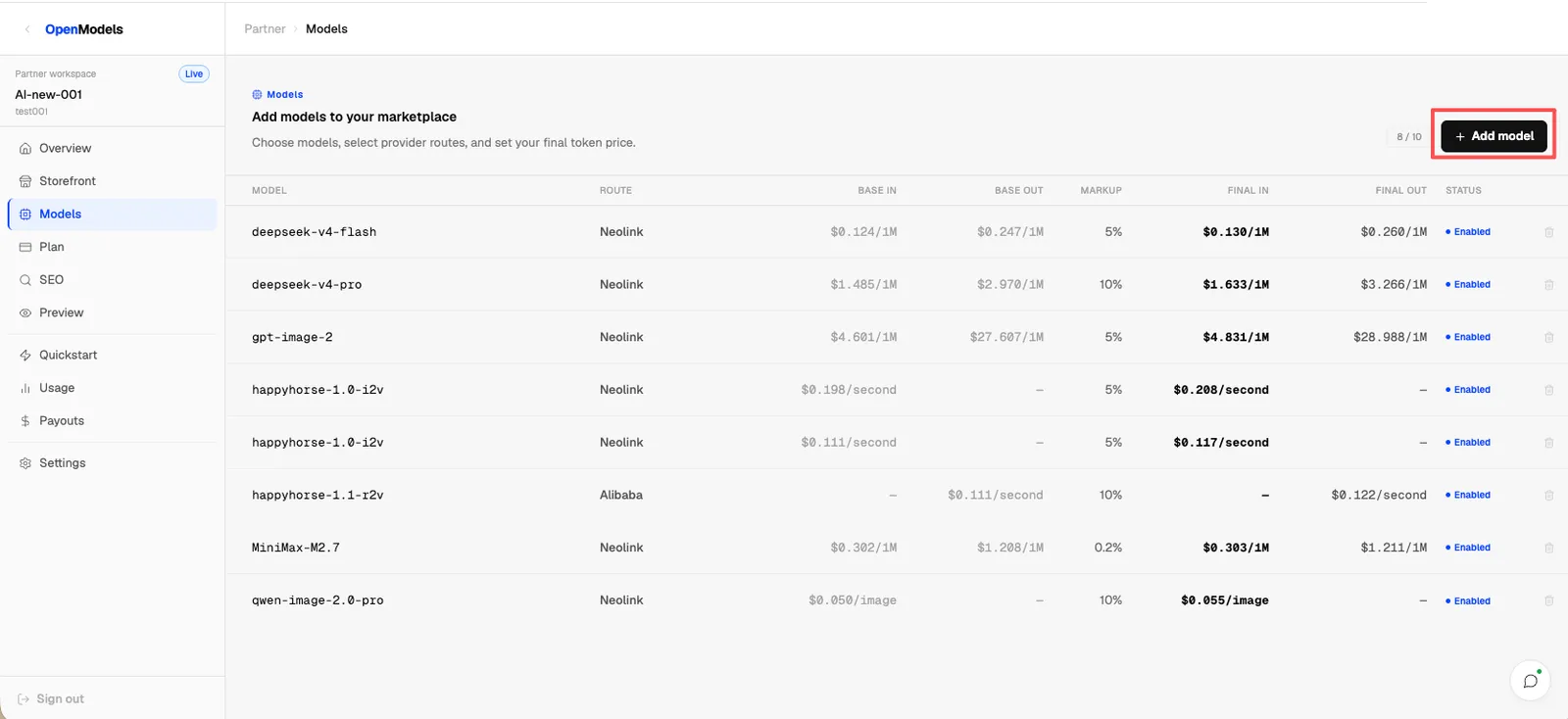
The table shows the upstream route, base input and output prices, markup, final marketplace prices, and status. Keep models enabled only when the selected provider route is ready for users.
Choose a plan
Open Plan and choose the plan that matches the number of models and controls you need.
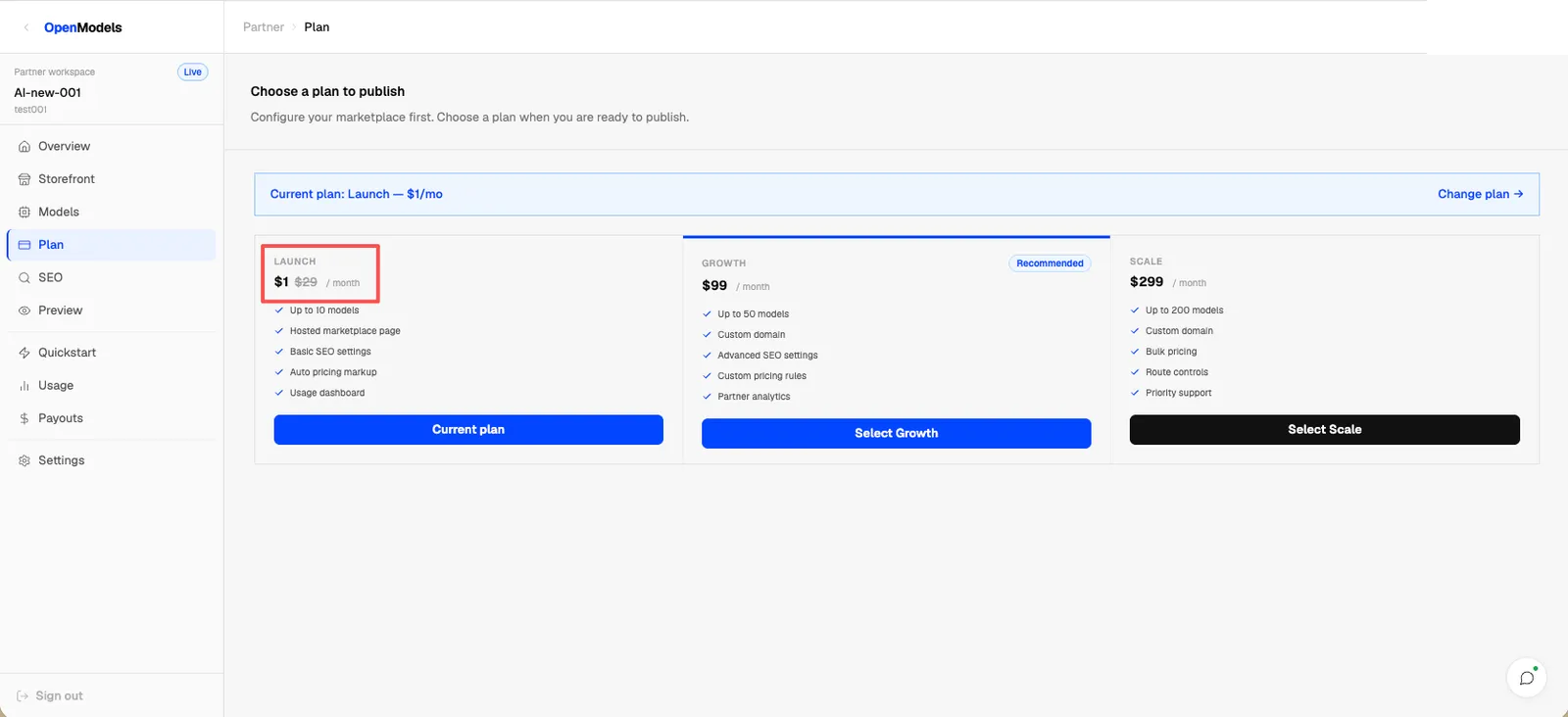
The Launch plan is the smallest publishing plan. Growth and Scale add higher model limits and more marketplace controls.
Configure SEO
Open SEO and set the public page title, slug, and meta description.
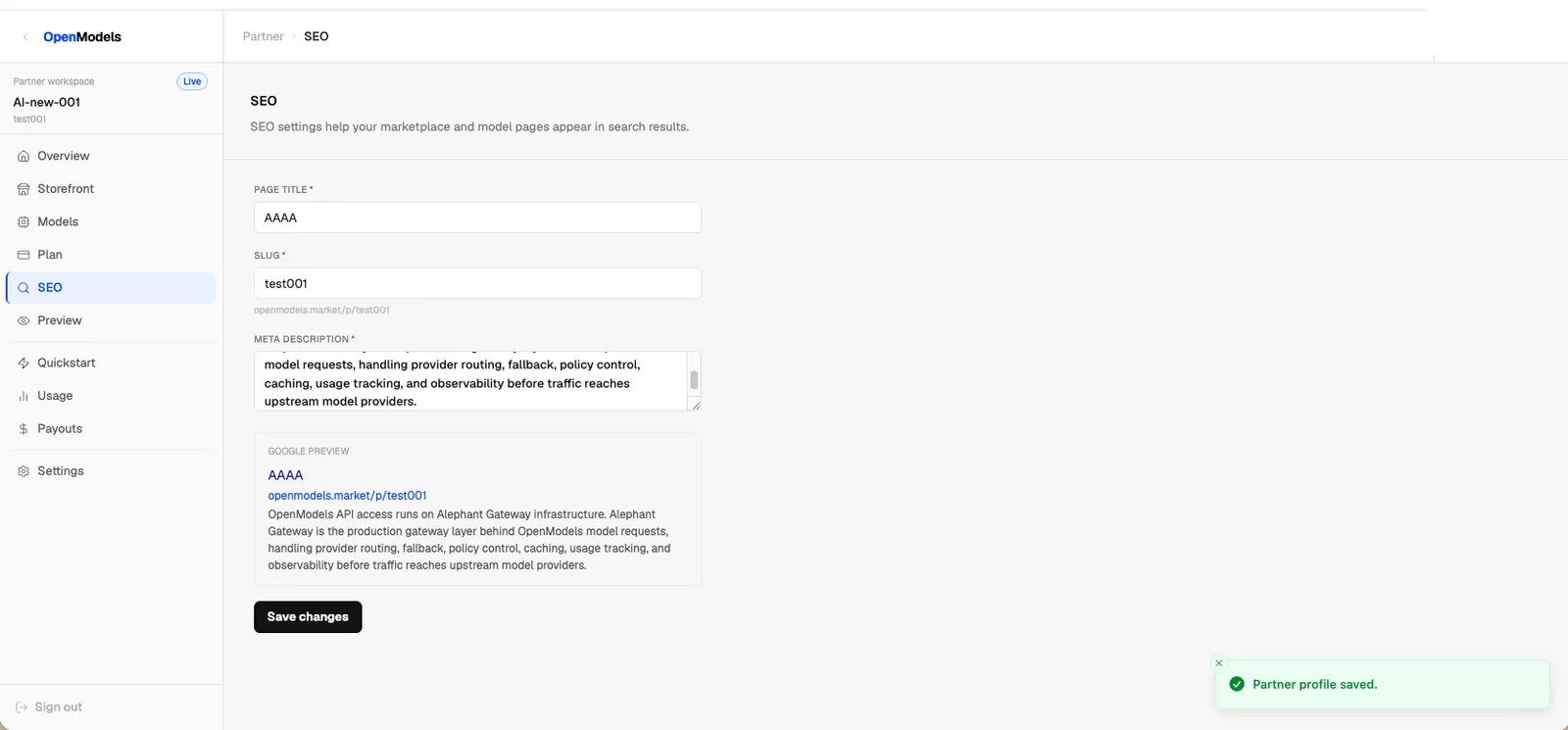
The slug becomes the public marketplace URL path. Review the preview before saving changes so the search result title and description match the marketplace you intend to publish.
Preview and publish
Open Preview to review the storefront with the live Partner profile and published model routes.
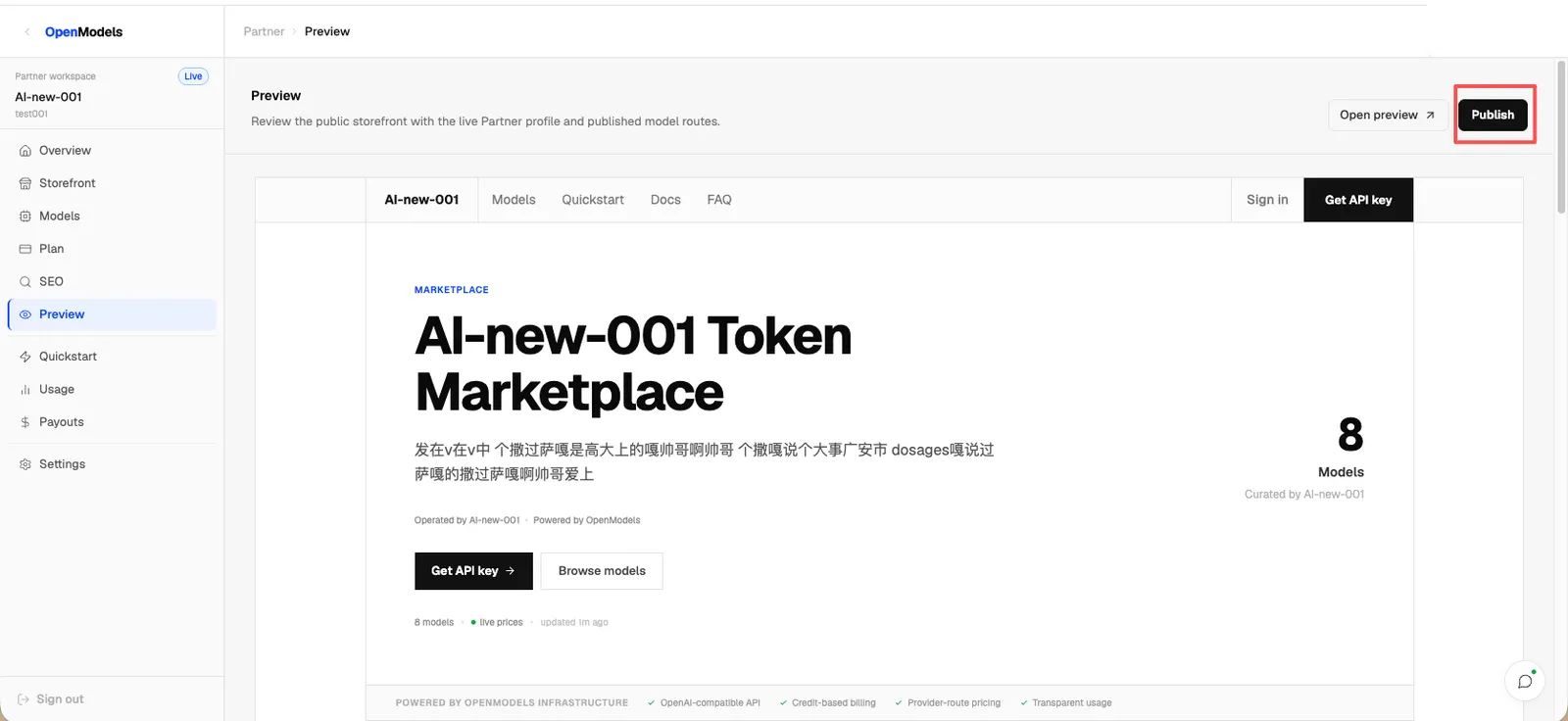
Use Open preview to inspect the public storefront in a separate tab. Use Publish only after the storefront, models, plan, and SEO settings are ready.
Track usage
Open Usage to see requests, commission, Partner ID attribution, and per-request usage rows.
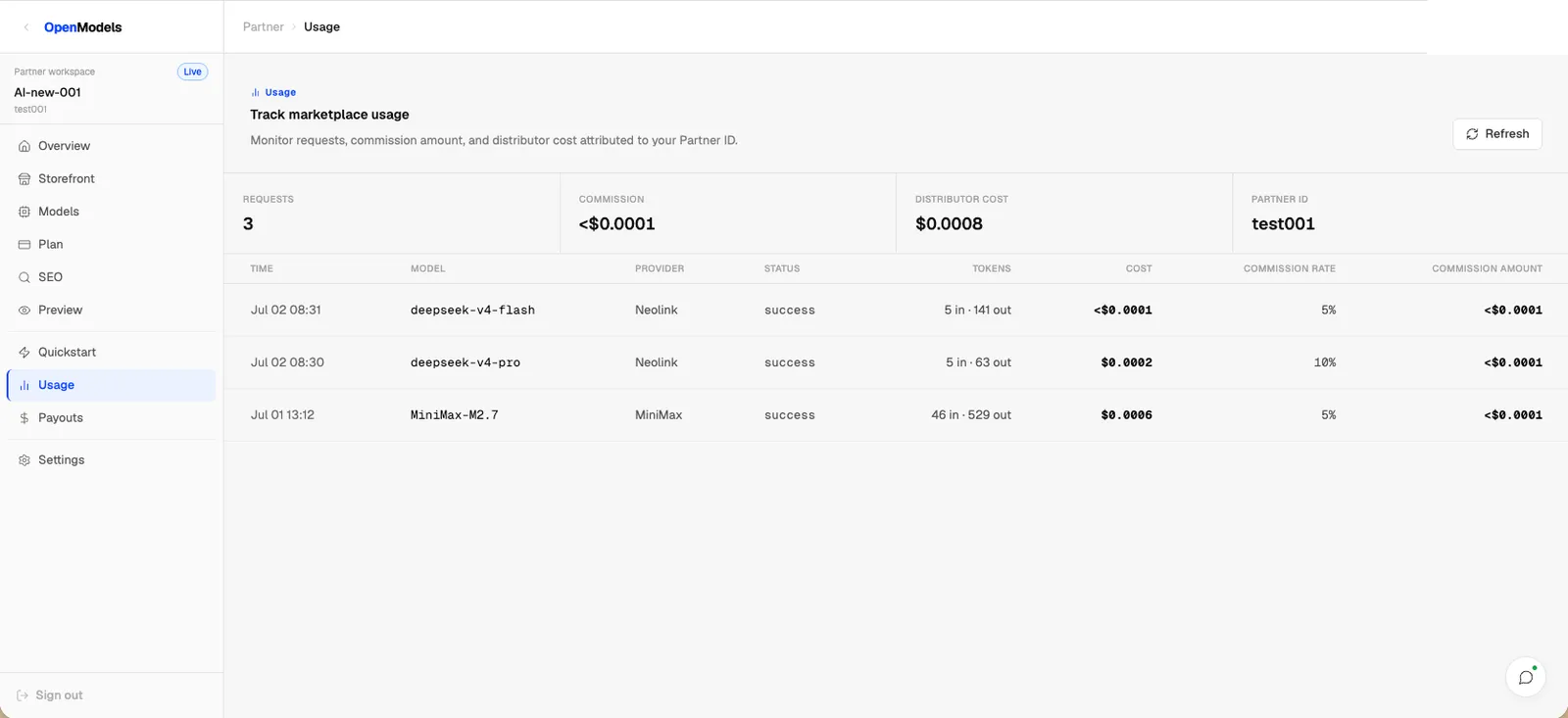
Use this page to confirm that traffic is attributed to the expected Partner ID and that commission values are being recorded for model usage.
Public Partner API
Use the public Partner API when you want to build your own marketplace page, pricing page, or plan page from the same Partner profile and model data that powers the hosted storefront.
Public cURL
Replace $PARTNER_ID with the Partner ID from your Storefront settings.
Owner cURL
Use full=true only when the logged-in Partner owner needs the full profile and model payload:
OPENMODELS_ACCESS_TOKEN is the OpenModels application access token for the logged-in account. Do not use a Key Market API key here.
Query parameters
Authorization behavior
The endpoint is public by default. Requests with no header, an invalid token, or a token for a different account return the same basic public payload.
Only the Partner owner can use Authorization: Bearer $OPENMODELS_ACCESS_TOKEN with full=true to read owner-only fields such as account ID, wholesale markup, upstream model, supply price, markup, and owner pricing-tier fields.
Response shape
The public endpoint returns the standard OpenModels application envelope:
Field guide
Building your own page
Use profile for the page header, SEO metadata, contact links, and marketplace status. Use models for model cards, pricing tables, and route metadata. Filter out models where enabled is not true, and show pricingTiers when present so image, video, and tiered token models keep their public pricing details.
Partner FAQ
What is the Partner Program?
The Partner Program lets you create a public marketplace powered by OpenModels. You choose which models to list, set marketplace pricing through markup, publish a storefront, and track usage attributed to your Partner ID.
Is this the same as becoming a Provider?
No. Partner Program is for running a marketplace storefront on top of existing OpenModels routes. Provider onboarding is for listing your own upstream models on OpenModels.
If you want to package existing OpenModels routes in your own marketplace, use Partner Program. If you operate model infrastructure or an upstream gateway and want OpenModels to route traffic to it, use Provider Integration.
What is the Partner ID used for?
The Partner ID is the attribution identifier for your marketplace. It is used in public URLs and partner-linked usage tracking, so copy it exactly when you need to share or verify marketplace attribution.
Do I need to add models before publishing?
Yes. A marketplace should have enabled models before users can browse and request API access through the storefront. Add models from Models, select provider routes, set markup, and confirm the final prices before publishing.
How is marketplace pricing set?
Pricing is configured per listed model in the Partner workspace. For public pages, show the final marketplace price fields returned by the Partner API.
Do I need a partner plan?
Yes. The setup checklist includes Plan before publishing. Choose the plan that matches the model limit and marketplace controls you need.
Can I preview before publishing?
Yes. Use Preview to review the storefront with the live Partner profile and model routes. Use Open preview for a separate public preview tab, then publish only after the page, model list, pricing, and SEO settings are ready.
Where do I track partner usage?
Use Usage to review attributed requests, model, provider, token usage, commission rate, and commission amount. This is the best place to confirm whether traffic is tied to the expected Partner ID.
Where are payouts managed?
Use Payouts in the Partner workspace for payout-related operations. The overview and usage pages show estimated payout and commission signals, but payout management belongs in the dedicated Payouts page.
Can I change SEO after publishing?
Yes. You can update the page title, slug, and meta description from SEO. Re-check the preview after changing SEO because the slug controls the public marketplace URL path.